How to get your miner's logs
Where miner logs live, how to switch file logging on, how to read the first error yourself, and what to include when you ask for help.
Why logs first
When a rig misbehaves, the log is the difference between guessing and knowing: it records the exact error, the time it happened and what the miner was doing. Any support conversation that starts with a log skips a day of back-and-forth. Get the log before changing anything, so the evidence of the problem is preserved.
Turning logging on
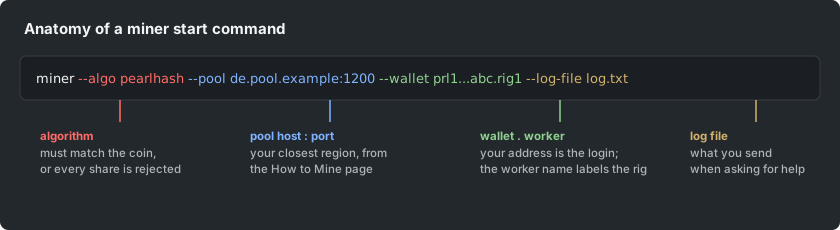
Most miners log to the console always, and to a file only when asked. Add the miner's log-file flag to your start script (SRBMiner and bzminer each have one; the exact flag name is in the setup guides in this help center), pointing at a file next to the miner. From then on every session appends to that file, restart or not.
Reading it yourself first
Scroll to the first ERROR or WARN line after the problem started, not the last line. The first error is usually the cause; everything after it is consequence. Lines about the pool connection (connect, login, share accepted or rejected with a reason) tell you whether the problem is the rig or the network, and reject reasons are printed verbatim.
What to include when asking for help
Send the log section from a minute before the problem to a minute after, plus: the miner name and version, the GPU models and driver version, the exact start command with your wallet address shortened, and what changed most recently. Screenshots of a scrolled console are worse than the text itself; copy the text.