Pool fee and payouts explained
Exactly what the HeroMiners Pearl pool charges, when you get paid, and how a found block turns into coins in your own wallet.
The fee, in one paragraph
One flat fee applies to the blocks the pool shares out and one to the blocks a solo miner keeps, and both current figures are shown live on the pool statistics. They are deducted automatically from block rewards before distribution; there are no other charges, and payout transactions cost you nothing extra. If a fee ever changes, the new rate applies only to blocks found after the change, never retroactively to blocks already found.
From block to balance
When the pool finds a block, its reward first shows as pending while the network confirms it. A freshly mined block needs a number of confirmations before its coins are spendable, which is a rule of the coin itself, not of the pool. Once the block matures, your share of it is credited to your address balance.
Hourly, non-custodial payouts
Payouts run automatically every hour. If your confirmed balance has reached the minimum payout shown on the site, it is sent to your own wallet in that run: the pool never holds your coins longer than the gap between maturity and the next hourly payment. A balance always belongs to the address that earned it and cannot be moved to a different address.
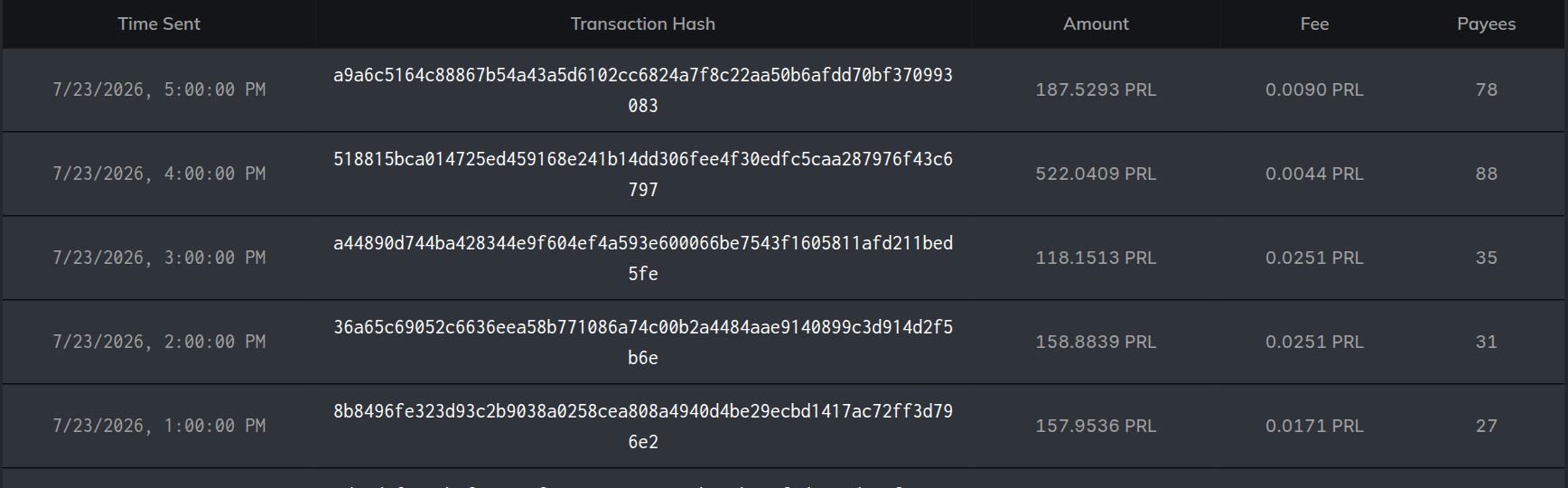
Pending versus confirmed on your dashboard
Your dashboard separates the two: pending is the estimated value of blocks still maturing, confirmed is the payable balance waiting for the next payout run. If a block is orphaned, meaning another block won the network race at the same height, it pays nothing; that is a normal part of every blockchain and affects every pool equally.
That description fits a proportional scheme. Under PPS+ the two lines mean something different, so read the scheme the pool is running before you read the numbers: your confirmed balance grows with every accepted share, all day, without waiting for a block, and pending holds only the small extra a found block adds on top from its transaction fees. On a coin whose transaction fees are close to zero that pending line can sit near zero while you are being paid normally, which is expected and not a fault.