Mining over LTE and mobile internet
Whether mobile internet is good enough for mining, what actually matters (latency, not bandwidth), and how to set a stable LTE rig site up.
Bandwidth is not the problem
Mining traffic is tiny: a rig exchanges a few kilobytes per share with the pool, so even a modest LTE plan carries hundreds of rigs' worth of stratum traffic. What mining cares about is LATENCY and STABILITY: every extra millisecond delays job delivery and share submission, and every reconnect throws away in-flight work. LTE's typical 30 to 80 ms is workable; its variability is the real enemy.
Set the site up for stability
- Use a proper LTE router with external antennas rather than a phone hotspot; aim the antennas and lock the router to the band that tests best.
- Check whether the plan gives a real routable connection or carrier-grade NAT; mining works behind CGNAT, but remote access to your rigs will need a VPN or tunnel.
- Watch data caps: a rig's stratum traffic is small, but OS updates, dashboards and remote desktops are not.
Pick the region by measurement
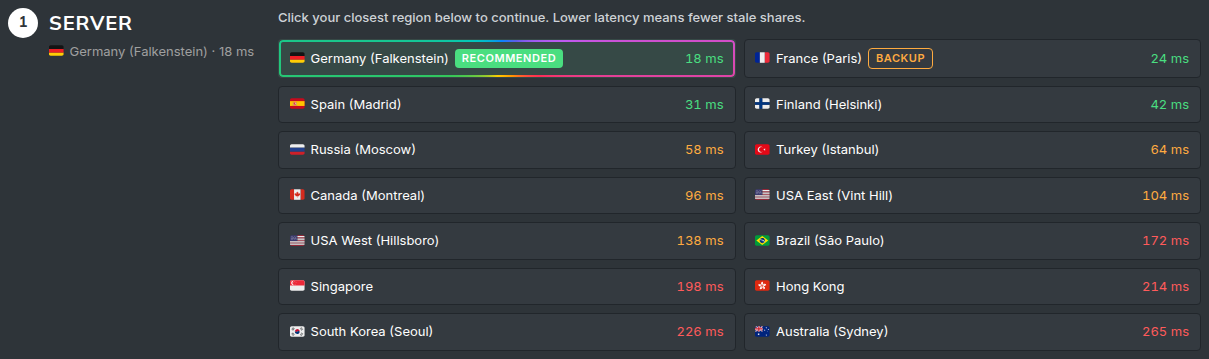
Mobile carriers route traffic through their own gateways, so the region that is closest on the map is not always the closest in milliseconds. Run the latency test on the How to Mine page from the LTE connection itself, and pick the region it recommends, re-testing if you move the antenna or the carrier changes routing.
Expect and contain the hiccups
LTE lines drop for seconds now and then. Modern miners reconnect and resume on their own; your job is to keep the interruptions cheap: a watchdog for the rare hang, worker-offline notifications set to a delay longer than a routine blip, and a stale-share percentage you glance at weekly. If stales creep up, re-run the latency test before blaming the rig.